Akollo vs Notion
Akollo vs Notion: when to choose which
Notion is a workspace you shape yourself, with docs, wikis and project databases. Akollo is a project management app with timesheets, people, budgets and AI already built, so you do not assemble them from templates.
At a glance
Akollo and Notion, area by area
- Built in
- Paid add-on, price in the cell
- Not offered
| Area | Akollo | Notion |
|---|---|---|
| Projects, boards and timelines | Built inBoards, backlogs, sprints, timeline and approvals. | Built inNotion Projects: timeline, board and calendar, with dependencies and sprints. |
| Time tracking and timesheets | Built inTimesheets with approval, plus a desktop app that measures time. | Not offeredTemplates only; no built-in timer or timesheet approval found. |
| Resource and capacity planning | Built inPlanned against available time, per team and period. | Not offeredNo workload view; Notion suggests checking load on the timeline. |
| Budgets and profitability | Built inBudgets, cost rates, budget vs actual and profitability. | Not offeredTemplates only; no cost rates or profitability found. |
| HR basics: people and time off | Built inEmployee records, org chart, leave requests and approvals. | Not offeredTemplates only, several from third-party creators. |
| CRM: accounts and pipeline | Built inAccounts, contacts, pipeline and activities. | Not offeredTemplates and custom databases only. |
| AI assistant | Built inAdmins decide who uses it; it answers within each person's permissions. | Built inNotion Agent, custom agents and enterprise search. |
| Self-hosting on your own servers | Built inOur cloud, or your own data centre or cloud account. | Not offeredNo self-hosted edition mentioned. |
| Product in Turkish | Built inTurkish, English and German, written natively. | Not offeredNot among the 22 interface languages. |
| Choice of where data is stored | Built inSelf-hosted, the data stays where you install it. | Built inUS, EU or Japan, on Enterprise. |
Where Akollo is different
Built in, not built by you
In Notion you can model almost anything. In Akollo the parts that are hard to model well, like approvals, cost and leave, already work.
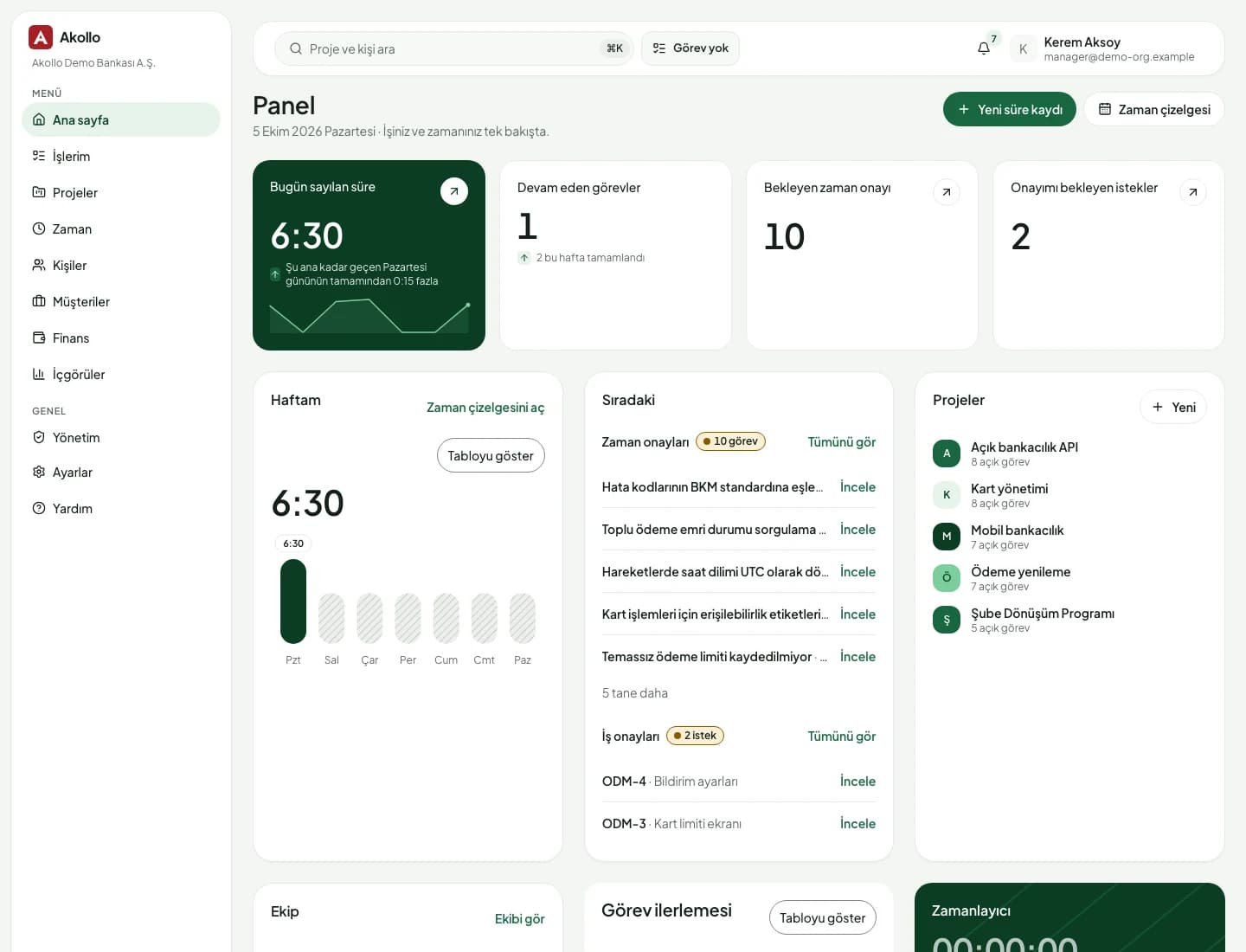
- 01
Timesheets that someone approves
People log hours on tasks or let the desktop app measure them. Managers approve or send them back, and approved weeks are locked. A template database cannot hold that chain of responsibility.
- 02
Budgets that follow the hours
Each approved hour is priced with a cost rate and counted against the project budget. Budget against actual and profitability update themselves.
- 03
People and leave you can plan with
Employee records, the org chart and leave requests with approval are part of Akollo, so capacity reflects who is actually working next week.
- 04
Your servers and your language
Akollo runs in our cloud or on your own servers. Every screen is in Turkish, English and German, and the AI only answers within each person's permissions.
To be fair
When Notion is the better fit
Notion is excellent at what it was made for: writing things down together and connecting them. Many teams keep it for that even after they move projects elsewhere.
- Your wiki, meeting notes and docs matter more than hours and budgets
- Small teams that want one flexible space and are happy to design it
- You want AI that searches across Notion, Slack, Google Drive and GitHub
Moving over
Bring your Notion projects across
Notion exports full-page databases as CSV. Akollo imports a CSV of up to 5,000 rows per file, with a dry run first. Your wiki can stay in Notion.
- 01
Export from Notion
Export your projects and tasks from Notion as a CSV file.
- 02
Map the columns
In Akollo, match each column to a work item field. A key column updates items you imported before.
- 03
Dry run first
See how many items would be created, updated or skipped before anything is written.
- 04
Move team by team
Start with one team, add timesheets and capacity, then bring the rest across.
Questions about Notion and Akollo
Can we keep Notion for docs and use Akollo for projects?
Yes, and many teams do. Keep the wiki and notes in Notion, and run projects, time, capacity and budgets in Akollo.
How do we move a Notion project database?
Export the database as CSV from Notion, map the columns to Akollo work item fields and check the dry run before the import writes anything.
Does Notion have time tracking?
On Notion's public pages we found timesheet templates, mostly from third parties, but no built-in timer or timesheet approval. Check with Notion for the latest.
Is Akollo harder to set up than Notion?
It is less of a blank page. Projects, timesheets, leave and budgets come ready, so the work is mostly choosing your settings and importing data.
Projects in AkolloSee your Notion projects with hours and budgets
Bring a CSV export of a project database and we will show it running in Akollo.