Skip to content

Desktop agent

Time captured automatically, under rules everyone can read

A small app in the system tray measures working time against the task each person has chosen. Your administrators publish what it records, how long it is kept and who may see it. Nothing more is collected.

Working2:14:05
  • Working timerecorded
  • Active apprecorded
  • Screenshotsoff by policy
  • Messages and private contentnever collected

Each person reads and accepts the notice first.

How it measures

Time on the task you chose, not a guess

The app records the application in front, activity and idle time, and credits the time to the task selected for that device. People pick their current task on My tasks; the app picks the change up at its next measurement.

  • Sign-in approved in the browser, valid for 10 minutes
  • Optional Chrome and Edge extension tells the app which tab is in front
  • The extension talks only to the app on the same computer, never to the server
  • Revoked devices stop sending data at once
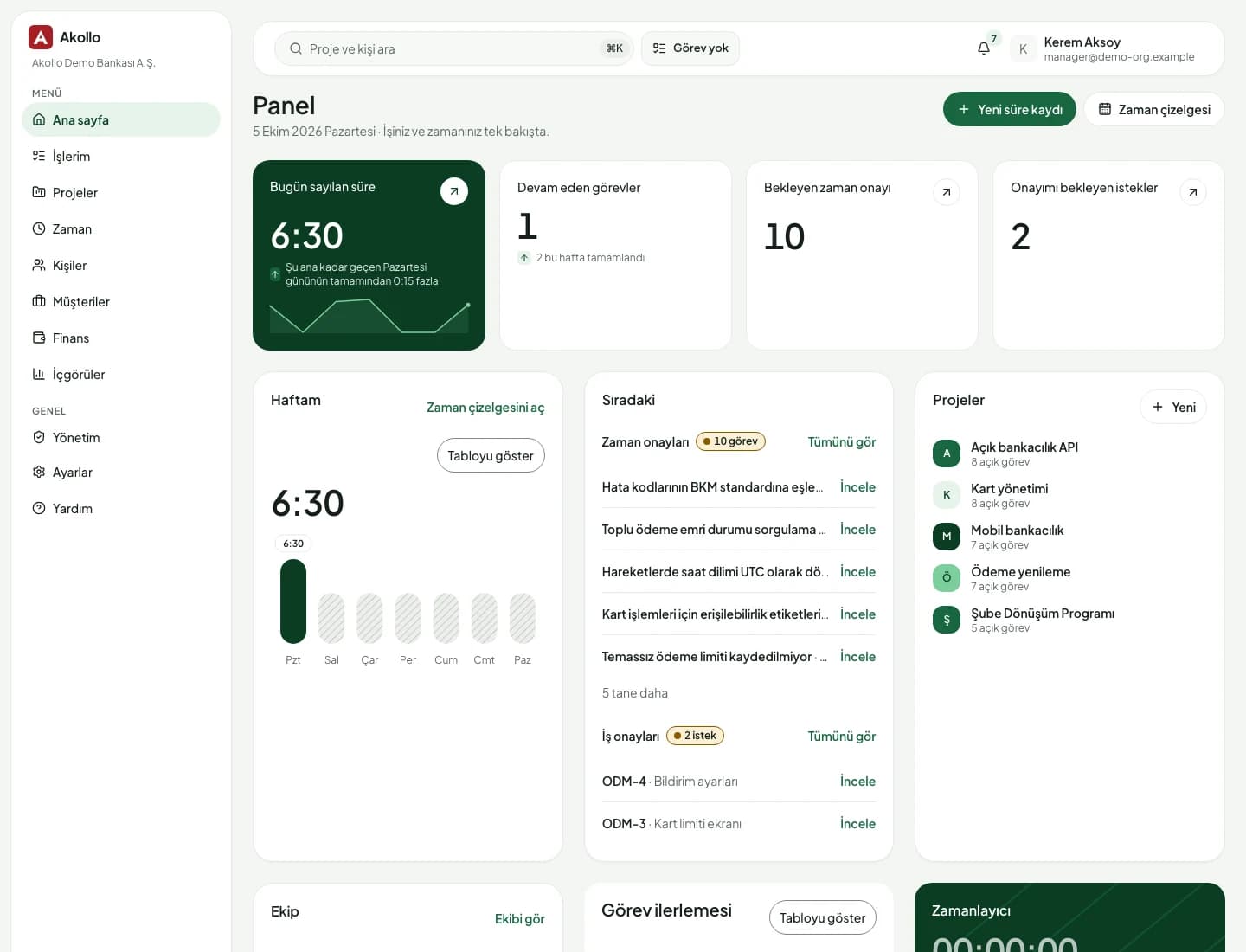
Akollo home dashboard with today's credited time and tasks in progress

Recording policy

Rules your works council can read

Administrators set the recording policy under Workforce & recording. Each change publishes a new revision with a start date, and the history is kept, so anyone can see which rules applied on a given day.

  • Working days, hours and time zone per schedule
  • Idle threshold, and whether people may pause recording
  • Categories per organisation, department or team
  • Retention in days for each kind of data

Screen evidence

You decide on screenshots and their retention

If the policy turns screenshots on, the people allowed to read them see each capture next to its interval; the original opens only on request. Optional image analysis describes a capture but never changes measured time.

  • Capture interval from 5 to 30 minutes, all monitors optional
  • Retention set per kind of data, with a preview before saving
  • Erasure for one employee or the whole organisation, recorded with a reason
  • 01

    Runs quietly in the tray

    It sits in the system tray of Windows and macOS computers, with no window of its own.

  • 02

    A policy everyone can read

    Schedule, idle rules, categories, screenshots and retention are set as dated policy revisions.

  • 03

    Screenshots only if enabled

    Captures are taken only if the policy turns them on, every 5 to 30 minutes.

  • 04

    Corrections with four eyes

    People propose corrections with a reason; a second person approves. The measured record never changes.

Deployment and security

Runs where your data has to stay

The same Akollo in our cloud, in your own cloud or on your own servers.

  • Cloud or your own servers

    Choose where Akollo runs. Every module works the same way in each setup.

  • Your own AI model

    Point the assistant at a local model inside your network or at your own provider.

  • Scope in every view

    Managers see only the people in their scope, in every screen, report and export.

  • Audit records and four eyes

    Privilege and configuration changes are recorded, and sensitive ones wait for a second person.

What the desktop agent covers

Measurement on the device, decisions with people, and controls for the administrators who run it.

  • Windows and macOS

    A tray app on the employee's computer that follows your recording policy.

  • Task-based time

    Measured time credited to the task selected for that device.

  • Browser extension

    Optional for Chrome and Edge, to tell the app which tab is in front.

  • Device list

    See your own devices, or every device as an administrator, and revoke any of them.

  • Device health

    Healthy, needs attention, silent or revoked, with reasons such as an outdated policy or clock offset.

  • Categories

    Mark applications and sites as productive, neutral or unproductive, and require a task where needed.

  • Retention and erasure

    Days to keep originals, previews, activity and analyses; immediate erasure when required.

  • Corrections

    Change an interval's task or category with a reason and a second person's approval.

AI on this module

Ask about your own days

Tracking data is read with your permissions, and nobody gets a score.

The assistant never scores people and reads tracking data only with your own permissions.

How the modules connect

Measured once, used everywhere

Time the app measures lands on the task in Time tracking. From there it reaches timesheets, reports and project cost without being entered again.

  1. 01Plan

    Turn goals into projects, backlogs, sprints and timelines.

  2. 02Staff

    Pick people by skills, availability and leave.

  3. 03TrackYou are here

    Record time by hand or with the desktop app, on the right task.

  4. 04Bill

    See cost, budget, billing and margin per project and client.

  5. 05Improve

    Read what happened and plan the next round better.

The AI assistant works across every step, with your permissions and only after you confirm. AI assistant

Questions about Desktop agent

Are screenshots always taken?

No. Screenshots are taken only if your organisation's recording policy turns them on, at an interval between 5 and 30 minutes, and each kind of data is kept only as long as the retention settings allow.

Does image analysis change my time?

No. An analysis describes a screenshot and can be wrong. It records the model that produced it and never changes measured time. Corrections go through Time & timesheets with a second approver.

Does the browser extension send my browsing to Akollo?

The extension talks only to the desktop app on the same computer, never to the server. What the app then records follows your organisation's recording policy.

What happens if a laptop is lost?

An administrator revokes the device under Settings › Devices, and it stops sending data. Data still waiting on that computer is not reached by an erasure from the server.

Review the recording policy with us

We walk your IT, HR and legal teams through the policy, retention and privacy settings in a demo, in English or Turkish.