Skip to content

Budgets & profitability

See what every project costs and earns

Budgets, rates, expenses and profitability sit on the same projects, people and approved hours as the rest of Akollo. Every save asks for a reason, and the changes that matter wait for someone else to approve them.

Budget versus actual, this quarterBudgetActual
  • Customer portal0% / €120k

  • ERP rollout0% / €310k

  • Data platform0% / €85k

  • Mobile app0% / €64k

Revision 2 waiting for approval

How the modules connect

Where the money side comes from

Approved hours priced with cost rates become project cost, and expenses and billing add the rest. Profitability shows cost, expenses, revenue and margin per project or department, month by month.

  1. 01Plan

    Turn goals into projects, backlogs, sprints and timelines.

  2. 02Staff

    Pick people by skills, availability and leave.

  3. 03Track

    Record time by hand or with the desktop app, on the right task.

  4. 04BillYou are here

    See cost, budget, billing and margin per project and client.

    • Budgets & profitability
    • CRM
  5. 05Improve

    Read what happened and plan the next round better.

The AI assistant works across every step, with your permissions and only after you confirm. AI assistant

Expenses

From receipt to approval without a spreadsheet

Employees enter an expense with date, merchant, category, amount, VAT and currency, attach the receipt and send it. It goes to their manager, then finance; above your organisation's threshold or in a foreign currency, the cost centre owner approves in between.

  • Receipts as JPEG, PNG, HEIC or PDF, up to 10 MB
  • A warning when the same receipt was used before
  • Changed drafts always need a fresh approval
  • Screens for approving and reimbursing are planned
Budgets

Budgets that follow the work

A budget belongs to a project, a department or a cost centre, in hours, cost or revenue. Every change is a revision; one that moves the approved total by more than ten percent needs someone other than its author to approve it.

  • Single total or monthly budget lines
  • Overruns that warn, or block new commitments
  • Proposed, approved and superseded revisions
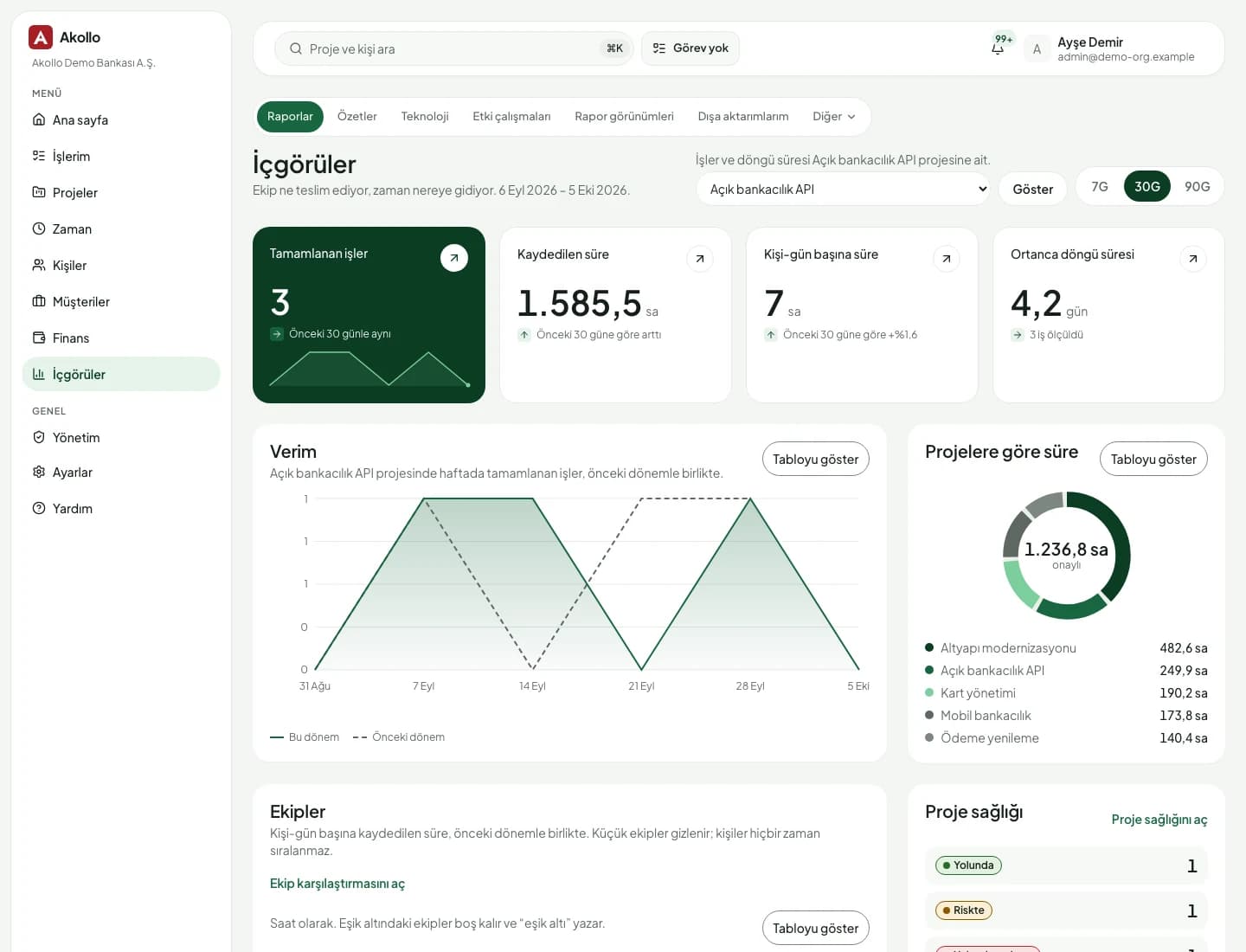
Akollo insights page showing completed work, logged hours and hours by project

Rates and periods

The right rate for every hour

Rate cards hold billing rates per organisation, customer, project, role, task type or employee, and the most specific one applies. Monthly periods per ledger can be locked, closed and reopened only when one person asks and another approves.

  • Rate changes above ten percent wait for approval
  • Cost rates proposed for a date range and approved by another person
  • Hard-lock dates that only move forward
  • 01

    Amounts kept exactly as typed

    Expenses are stored in their own currency. Nothing is rounded on the way.

  • 02

    No one approves their own expense

    Separation of duties is built in: no one approves two steps of the same chain in a row either.

  • 03

    Revisions instead of overwrites

    Budgets and rate cards change through numbered revisions that keep the full history.

  • 04

    Salary data kept apart

    Employee cost rates need their own permission. Owners and admins do not get it by default.

Finance features in the current release

Controls first: the things an auditor will ask about are built into the records themselves.

  • My expenses

    Draft, attach, edit and send expenses; read-only once submitted.

  • Approval chain

    Manager, cost centre owner when needed, then finance. No self-approval.

  • Budgets

    Hours, cost or revenue budgets per project, department or cost centre.

  • Rate cards

    Billing rates from organisation down to employee, per hour or per entry, with dates.

  • Cost rates

    Hourly employee costs treated as salary data, behind a separate permission.

  • Periods

    Monthly periods per ledger, locked and closed with a second person's approval. Available through the API.

  • Cost centres

    Code, name, active period, parent, department and owner for each cost centre.

  • Categories and VAT codes

    Expense categories in Turkish and English, number series and VAT rates by date.

AI on this module

Staffing with cost in view

Financial decisions stay with people. The assistant helps with the choices around them.

The assistant reads only what you could open yourself. It never widens access and never approves anything.

Deployment and security

Runs where your data has to stay

The same Akollo in our cloud, in your own cloud or on your own servers.

  • Cloud or your own servers

    Choose where Akollo runs. Every module works the same way in each setup.

  • Your own AI model

    Point the assistant at a local model inside your network or at your own provider.

  • Scope in every view

    Managers see only the people in their scope, in every screen, report and export.

  • Audit records and four eyes

    Privilege and configuration changes are recorded, and sensitive ones wait for a second person.

Questions about Budgets & profitability

Does Akollo replace our accounting system?

No. Akollo keeps expenses, budgets, rates and periods next to the work and the hours from Time & timesheets. Billing, accounting and a finance overview are not available yet.

Who approves an expense?

The employee's manager, then finance. Above the amount your organisation sets, or in a currency other than Turkish lira, the cost centre owner approves between them. Nobody approves their own expense.

Who can see employee cost rates?

Only people with the separate cost-rate permission. Cost rates count as salary information, so organisation owners and administrators do not get access automatically.

Can a closed month be changed?

A record dated in a closed month is not saved. A month can be reopened only when one person asks and another approves, and a hard-lock date can only move forward.

See your cost centres and budgets in Akollo

We set up a demo with your approval thresholds, currencies and cost structure, in English or Turkish.