Skip to content

CRM

Customers and requests, linked to the work they create

Keep accounts, contacts and activities next to the projects you deliver for them, and give employees one portal to ask for help, with the same permissions and audit trail as the rest of Akollo.

Service requests

New3

In progress1

Done0

  • Access to the reporting tool

    Internal IT

  • Renewal call before Q4

    Northwind

  • Laptops for three new hires

    People team

  • Copy of the March invoice

    Contoso

Accounts and contacts

One record per customer, shared by sales and delivery

Search accounts by name and filter by status (prospect, customer or former), segment and owner. An account page brings together its overview, contacts with their roles, linked projects, activities and, for reviewers, who has access.

  • Primary contacts and roles per account
  • Projects linked to the customer they serve
  • Access list with reasons, for restricted accounts
Activities

Calls, meetings and follow-ups that do not slip

An activity is a call, meeting, email, note or task linked to an account or contact, with a due date and an optional reminder. Open, overdue and completed tabs keep the next step visible.

  • Reminders sent to the owner as notifications
  • Overdue activities marked at a glance
  • Records you cannot see shown as “a record you cannot see”
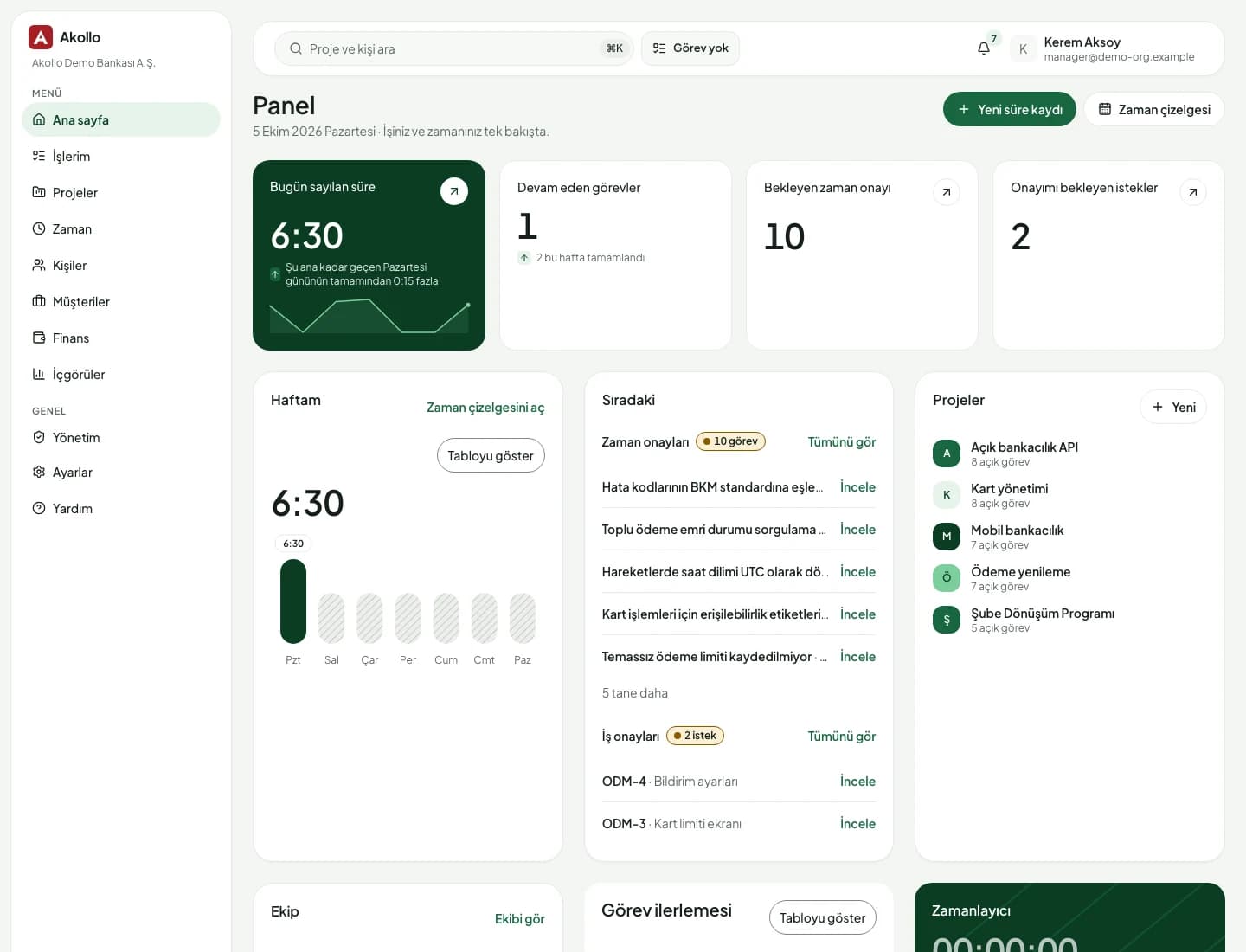
Akollo home dashboard with the day's tasks, approvals waiting and project list

Service requests

Employees ask once, and see where their request stands

The portal lists the services each person may request. A submitted request goes to the matching queue, and its owner follows it through new, in progress, waiting, resolved and closed, adding comments and files, and rating the help at the end.

  • Catalogue items offered by department or role
  • Assignment rules route a request straight to an agent
  • Rate the help once a request is resolved
  • Agent screens for queues, triage and escalation are planned

What the service desk covers today

Built on the same permissions, audit log and API as the rest of the product.

  • Accounts

    Legal and trade name, status, segment, domains and addresses, with revisions.

  • Contacts

    Name, title, email and phone, linked to accounts with a role.

  • Activities

    Calls, meetings, emails, notes and tasks with due dates and reminders.

  • Matching records

    Possible duplicates queued for the owner to choose, publish or dismiss.

  • Request portal

    A searchable catalogue of services, each with its own request form.

  • Writing help and summaries

    Draft a reply from notes or summarise a thread with Akollo AI, where your organisation allows it.

  • API access

    Customer and service records through the Akollo API, under the same permissions as the screens.

  • Business calendars

    Working hours and holidays per calendar, combined with HR holiday calendars where in use.

How the modules connect

Sales, delivery and support on one account

An account links to the projects you deliver for it. Sales, delivery and support read the same record, and the hours and costs behind that work come from Time tracking and Budgets.

  1. 01Plan

    Turn goals into projects, backlogs, sprints and timelines.

  2. 02Staff

    Pick people by skills, availability and leave.

  3. 03Track

    Record time by hand or with the desktop app, on the right task.

  4. 04BillYou are here

    See cost, budget, billing and margin per project and client.

  5. 05Improve

    Read what happened and plan the next round better.

The AI assistant works across every step, with your permissions and only after you confirm. AI assistant

  • 01

    Accounts with their full context

    Each account shows its contacts, projects and activities, with restricted accounts hidden from those who may not read them.

  • 02

    Duplicate contacts caught early

    A contact saved with another contact's email or phone waits for the owner to decide.

  • 03

    One portal for every request

    Employees pick a service from the catalogue, fill in its form and follow the request to the end.

  • 04

    Masked where it matters

    Tax numbers stay masked unless you may see them, and granting access to an account needs a reason.

AI on this module

The assistant, with your customer records

Customer screens have no AI features of their own yet. The assistant works with the records you can already open.

It never sends messages to customers on its own, and anything it proposes waits for your confirmation.

Deployment and security

Runs where your data has to stay

The same Akollo in our cloud, in your own cloud or on your own servers.

  • Cloud or your own servers

    Choose where Akollo runs. Every module works the same way in each setup.

  • Your own AI model

    Point the assistant at a local model inside your network or at your own provider.

  • Scope in every view

    Managers see only the people in their scope, in every screen, report and export.

  • Audit records and four eyes

    Privilege and configuration changes are recorded, and sensitive ones wait for a second person.

Questions about CRM

Is this a full CRM?

Not yet. Accounts, contacts, activities and duplicate checks are available today. Opportunities and pipelines are planned and have no pages yet.

Can our IT or facilities team run a service desk in Akollo?

Employees can already request services through the portal, and requests are routed to queues with assignment rules. Screens for the teams that handle requests, such as queues, triage and escalation, are planned. IT & engineering shows how technical teams use Akollo.

Who can see a restricted customer?

Only people who have been given access to it. A restricted account does not appear in the list for anyone else, and granting access needs the right permission and a reason.

Can other systems read customer records?

Yes. Customer and service desk records are available through the Akollo API with an API key, and the API applies the same permissions as the screens.

See your customers and requests in Akollo

We set up a demo with your service catalogue and your customer structure, in English or Turkish.