Akollo vs Wrike
Akollo vs Wrike: when to choose which
Wrike is strong enterprise work management with proofing and request intake. Akollo puts timesheets, leave, capacity and budgets in the same product as the plan, and can run on your own servers.
At a glance
Akollo and Wrike, area by area
- Built in
- Paid add-on, price in the cell
- Not offered
| Area | Akollo | Wrike |
|---|---|---|
| Projects, boards and timelines | Built inBoards, backlogs, sprints, timeline and approvals. | Built inGantt with dependencies, board, table and calendar. |
| Time tracking and timesheets | Built inTimesheets with approval, plus a desktop app that measures time. | Built inTimer and timesheets on Business and up; approvals on Pinnacle and Apex. |
| Resource and capacity planning | Built inPlanned against available time, per team and period. | Built inWorkload charts on Business and up. |
| Budgets and profitability | Built inBudgets, cost rates, budget vs actual and profitability. | Built inBudgeting on Pinnacle and Apex; Wrike notes it applies to accounts created before October 2024. |
| HR basics: people and time off | Built inEmployee records, org chart, leave requests and approvals. | Not offeredTemplates, such as a vacation tracker built on request forms. |
| CRM: accounts and pipeline | Built inAccounts, contacts, pipeline and activities. | Not offeredNo CRM on Wrike's feature pages. |
| AI assistant | Built inAdmins decide who uses it; it answers within each person's permissions. | Paid add-on, price in the cellWrike AI and agents, in AI tiers. |
| Self-hosting on your own servers | Built inOur cloud, or your own data centre or cloud account. | Not offeredWrike has said it is cloud only. |
| Product in Turkish | Built inTurkish, English and German, written natively. | Not offeredNot among the interface languages. |
| Choice of where data is stored | Built inSelf-hosted, the data stays where you install it. | Built inEU data centre on all current plans. |
Where Akollo is different
The month-end questions, answered in one place
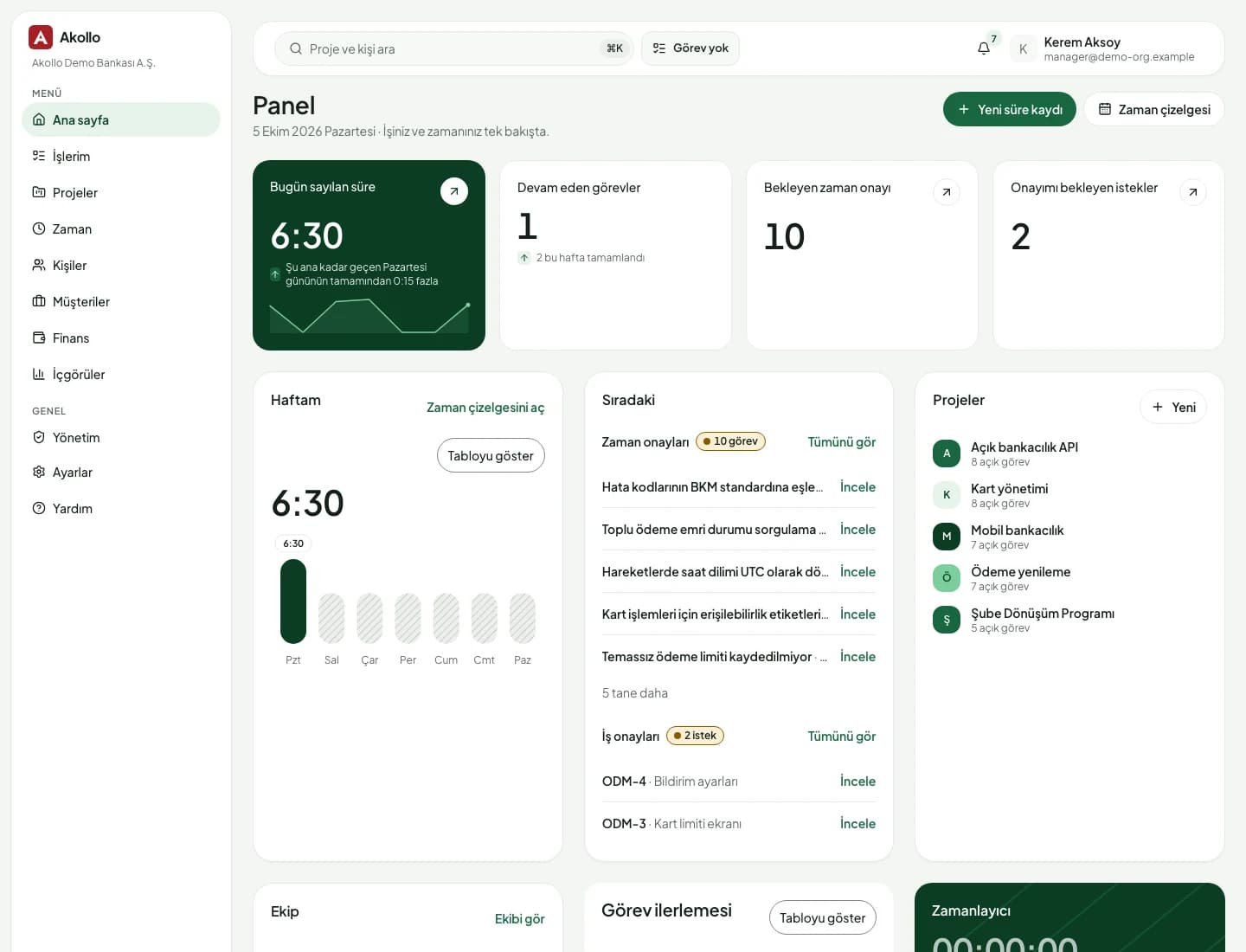
Wrike can track time and budgets on its higher plans. In Akollo they are the core of the product, joined to people and leave.
- 01
Approval is part of every timesheet
People log hours on tasks or let the desktop app measure them; managers approve, send back or lock the week. It is the core of how Akollo works.
- 02
Cost and profitability from approved hours
Approved hours are priced with cost rates and counted against the budget, so budget against actual and profitability are always current.
- 03
Leave and capacity in the same place
Employee records, the org chart and leave approvals sit next to capacity, so a plan reflects who is actually available.
- 04
On your servers, in your language
Run Akollo in our cloud or in your own data centre. The interface is native in Turkish, English and German, and the AI answers only within each person's permissions.
To be fair
When Wrike is the better fit
Wrike has years of enterprise work management behind it. For some organisations its strengths line up better than ours.
- Marketing and creative teams that proof and approve assets in the tool
- Large organisations that route work through request forms and cross-tagging
- You want EU hosting on every plan and have no need to self-host
Moving over
Move from Wrike step by step
Wrike exports tasks and projects to Excel. Save the sheet as CSV and Akollo imports up to 5,000 rows per file, with a dry run first.
- 01
Export from Wrike
Export your projects and tasks from Wrike as a CSV file.
- 02
Map the columns
In Akollo, match each column to a work item field. A key column updates items you imported before.
- 03
Dry run first
See how many items would be created, updated or skipped before anything is written.
- 04
Move team by team
Start with one team, add timesheets and capacity, then bring the rest across.
Questions about Wrike and Akollo
Is Akollo a Wrike alternative?
For teams that need projects with timesheets, capacity, budgets and HR basics in one product, yes. For asset proofing and large intake workflows, Wrike is strong.
How do we export from Wrike?
Wrike exports tasks, projects and folders to Excel. Save the file as CSV, map the columns in Akollo and check the dry run before importing.
Can Akollo be installed on premises?
Yes. Akollo runs in our cloud or in your own data centre or cloud account. Wrike has said it does not offer an internally hosted version.
See your Wrike projects in Akollo
Bring an export to the demo and we will show it with timesheets, leave and budgets around it.